

Mobilize Your Blog This Holiday Season

With the holidays appearing thick and fast from now until next year, it’s a great time for meeting up with the people who are important to us, giving and receiving gifts, relaxing and indulging ourselves. But while you’re doing that, give a thought to your poor neglected blog this holiday season.

For blogs, this can be the loneliest time of year, the time when our posts grind to a halt and our readers drop off like flies. But don’t shed a tear, there is a solution.
Blog From Your Phone!
Sure, the last thing you want to do is sit behind a computer as turkeys emerge from ovens, gifts are ripped open and grandma busts her moves on the kitchen table. But you don’t have to be tied to the computer to blog — not only does WordPress.com have the option to phone in a blog post, or email pictures and posts from any device you have on hand, but we also offer easy-to-use apps for several smartphones.
Let’s take a look at each of these options, starting with our super-cool phone apps.

WordPress Mobile Apps
If you’re packing a Nokia, Blackberry, iPhone, iPad or Android phone, you can download a free WordPress application to write and edit posts and pages, check stats and even moderate your comments. This gives you a comprehensive way of managing your blog on the move. You can find it on your phone’s app store/market, or find out more at these sites:
Post by Email
Love email and use it all the time — even on your phone? Then you’ll equally adore our Post-by-email feature. While it doesn’t offer as much flexibility as the WordPress mobile app, it’s a swift and handy way to update from anywhere. To enable Post-by-email, you first just need to do a little tweaking from your computer. Simply:
- Head to the Dashboard menu and hit the My Blogs option:

- Enable your blog or blogs for Post-by-email:

- Copy-paste (or download the vCard for) the secret email address and send it to your mobile email address for later use:


Then, Post Via Mobile Email
- Now, from your tablet, phone, laptop or other email-enabled thingy, just bash out an email. The email subject line turns into the post’s title.
- If your device supports it, attach photo(s) to the email. Single photos appear in-line, more than one turns automagically into a gallery
- Address it to the secret email address you found in the My Blogs menu
- Hit send – and that’s it, your post is live!
Phone It In
But that’s not enough! What if you want to record audio of your carol singing antics, or the cat landing suddenly on your uncle’s sleeping face? You’ll need Post by Voice. Here’s how to dial in your call:
- Head back to the (you guessed it) Dashboard > My Blogs menu:
- Activate the Post by voice Enable button next to one or more blogs:

- Jot down the secret phone number and your own private code (they’ll appear in the same place you pressed Enable)
- You’re ready to start posting audio

Dialing in an Audio Call
- Call the number you jotted down (smallprint – doing this outside of the U.S. may prove costly, as calls are charged at standard U.S. rates)
- Enter your secret code (you wrote that down too, or committed it to memory, remember?)
- Record audio of your talking, singing, shrieks of merriment or incidental seasonal sound effects. You have up to an hour to do so.
- Hang up. Your audio post will hit your blog almost right away.
Bonus Round: Automatic Posting to Your Favorite Social Networks
Why go to the hassle of sending out multiple updates, when you can do it all at once? Before you take off for the holidays, be sure to set this up — and every time you publish a new blog post with your phone, it will automatically get sent to your Twitter, Facebook, and other social media accounts.
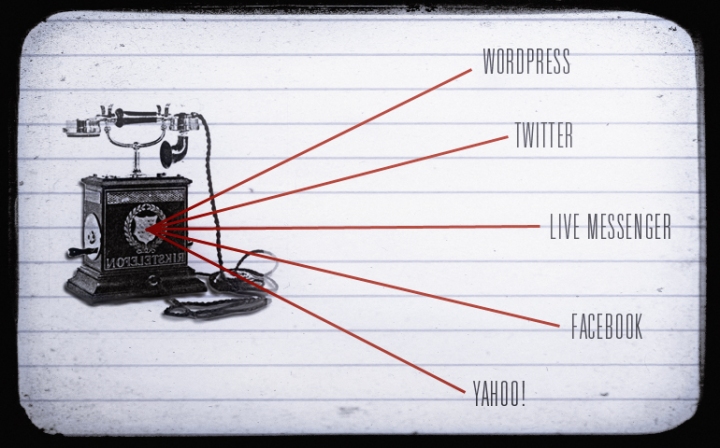
Just:
- Head back to the Dashboard > My Blogs menu:
- Next to the blog or blogs you want to activate, under the Publicize column, check the services you want to automatically send updates to:

- You’ll need to authorize the accounts to sync with WordPress:

- Done! If you want to get into the nitty-gritty, check out our support docs all about Publicize.
So, yep, that means just new post can send five updates out to the world in the space of a second or two. Leaving more time for you to get on with some seasonal chillaxing.
You’re All Set
Hopefully between the apps, post-by-email and the voice-powered blogging feature, we’ve got your mobile needs covered this holiday season. Happy moblogging holidays!
- November 19, 2010
- HowTo
 WordPress.com News
All very helpful for those of us traveling this holiday season … many thanks! 🙂
LikeLike
Any snow falling for our WP.com blogs? I loved that last year!
LikeLike
Yes, we hope to bring that back again. 🙂
LikeLike
can I have that?
LikeLike
I like WordPress for Android. I mostly use it to moderate comments and the latest update made it faster for me to do so. Thanks for everything! Keep it up!
LikeLike
We all llove WordPress, Thank you!
LikeLike
I need my new iPhone 4 quicker than ever!
LikeLike
Perfect ;x
LikeLike
Now if there were only a way to post by email and not have it go “live” so I can then use the Android app to tweek it to my liking and then publish…
LikeLike
Thanks for the WordPress for Android. Very useful for moderating comments, but still need to use computer for posting.
LikeLike
This is great but the question is, is the falling snow coming back this year?
LikeLike
Thanks for the comprehensive take on how to blog virtually anywhere and anytime. 🙂
LikeLike
Cool idea but i think I’m more excited about the chance of “snow falling for our WP.com blogs”
LikeLike
I’ll let the snow department know 🙂
LikeLike
As I say to everyone, there’s a million ways to post to WordPress. I LOVE IT!
LikeLike
Good stuff.
LikeLike
nice post. I use the wordpres app (for itouch) often. super helpful at times. : ))
LikeLike
Great information… Thanks 🙂
LikeLike
Awesome!
LikeLike
I am too!
LikeLike
Can’t wait to try this out during the holiday season! Thanks for all of the fun ways to stay blogging while traveling.
LikeLike
I won’t neglect my blog ’tis season for merrymaking 🙂
LikeLike
Great stuff for the holidays.
Thanks
Saif
LikeLike
So u wanna say: ‘Keep Blogging, Always.” Yes we will. Thank you so much.
LikeLike
so many improvement Thanks WP
LikeLike
What great ideas!! Blogging by phone, Voice blogging…soooo cool.
LikeLike
I adore WordPress..thanks for all the hard work and Happy Holidays 🙂
LikeLike
Very useful features for the hols! Thank you very much..
LikeLike
It doesn’t work with Nokia N96. Why ?
LikeLike
Do you mean the WordPress for Nokia application? As you mention, I don’t think N96 is supported in the current version of the app You’d probably get a more in-depth response over at the WordPress for Nokia dev blog in terms of compatibility issues and rationale, as it’s an ongoing open source project
LikeLike
this is very useful! thanks so much for this. i have used my iphone a couple of times to post in wordpress and it really is a neat application!
LikeLike
Great work
LikeLike
Many new good ideas for time of year. I have one question about the post by voice. I would like to know if the recording is posted online right away ot held in draft mode. Simply said, what happen to it once we hang up?
LikeLike
At the time of writing this, Post by Voice goes directly to a live post, almost instantaneously. We may be adding a draft feature to a future version if the demand is there
LikeLike
Great additions, these will take the message wider yet.
LikeLike
Thank you for a thorough way to stay with blogging.
It was a little mind boggling – but, gives me some goals
to aspire to in the months ahead. I really like blogging
on wordpress – still interested in how to build a readership
base??
LikeLike
Learn WordPress.com
might give you a few pointers on building up your blog’s readers (among other pointers and tips)
LikeLike
Great reminder.
I’ll most likely be submitting some blog posts from my Nintendo DSi!
LikeLike
Nice! Heard good things about the DSi browser, great to hear it’s WordPressable 🙂
LikeLike
Thank you for setting this up. I will definatly try to use this app over my Christmas holidays.
LikeLike
hooray!!
LikeLike
Excellent!
LikeLike
Rampress is impressed with wordpress.
LikeLike
Thanks very much for your hard work. D.V.,I wish to turn my blog around now, using some of the features.
LikeLike
So… this post is cool and whatnot, great features… but more importantly… y’all know the telephone in that Bonus Round image is reversed, right? It may not be English, but it’s still read left to right.
LikeLike
It’s a special dadaist telephone, looking in a mirror. Or, erm… busted.
LikeLike
Very cool. Thanks for all of the updates guys!
Love your work.
LikeLike
good stuff
LikeLike
that’s why i chose wordpress to integrate w/ my main blog.
i can blog anywhere from my phone. Thanks WP…
@dH1
LikeLike
Very useful, some day I may own a cell phone other than the one my employer supplies.
My blog and my boss don’t mix.
LikeLike
I am using the Android version and it is really great, open source web development platform talking to open source mobile phone operating system.
LikeLike
Dear WordPress-team and member, when could we use the Facebook boxes (e.g. “like it”) directly on our blogs??? And why it is prohibited to play music on our blogs? Or to run advertise on it? We could achieve so more things together, thanks from Germany!
LikeLike
For adding Facebook Like (and Share) buttons, check out our support doc on Sharing features. For music, you can add an audio player to your blog – find out more at this support doc page on getting started. You can also use the pretty awesome SoundCloud player on your blog for sharing music. We aren’t able to support every service on the web for the sake of keeping things smooth running and secure for all our users, but we try to do what we can to give you a range of the best services out there to meet your needs. Ads aren’t possible on WordPress.com at the current time, although you can run them against a self-installed version of WordPress if this proves limiting.
LikeLike
So cool! Just enabled Post by Voice, can’t wait 2 use it!
Thank you. 🙂
I recently did a travelogue by cellphone, posting to my blog. It was so much fun! And people loved it.
LikeLike
Great idea for a travelogue – we often capture the sights of the places we visit, but much less often the sounds, which can be just as interesting
LikeLike
Question ->is this for all or for us only ? nice greets from Germany ..
LikeLike
It’s all available to anyone, anywhere (I’m blogging from Japan), even the phone part, but the latter would probably cost a lot of money to dial in from another country.
LikeLike
Wow…it’s like…commercials on word press now! Well…it did make me smile 🙂
LikeLike
what about a webOS app? : (
LikeLike
I don’t think there’s currently one planned, but hopefully in the future. In the meantime, hope that Post by Email stands in for you as a mobile blogging solution
LikeLike
It’s amazing!
LikeLike
I blog from everywhere any time, these apps are great, never know when and where another major crime will break…Cheers
LikeLike
nice info, thanks you
LikeLike
Sounds interesting!
LikeLike
Thanks for this. I mostly use my Blackberry app to moderate comments and follow stats, but I many consider it while on the road this Holiday season. I didn’t see the snow last year, but would love to try it this year if available.
LikeLike
How about the post directly from MS Word 2007/+? I have Word setup to post to several of my WP sites. I can even categorize the postings prior to uploading. I can use the image functions of Word to add creative borders, drop shadows and image skew/tilt. *I do note that the images aren’t quite a crystal clear as the originals, but that’s the tradeoff.
I had a nice little Android app (HIFICORDER) that let me record very good audio, (at one time it would convert into mp3, but now just OGG & WAV) and then add images and even Google Maps location coding via email. Used the post to WP via email and it worked great! For my “audio enabled” site, WP automatically added the javascript audio player which was slick.
LikeLike
Great to hear there are lots of inventive ways to get audio and images into your posts on the move
LikeLike
Can I ask though, sure now more people will update, but how many people will log in on their special family day, to read someones blog? Just stating a fact here… :S
LikeLike
oh this is fancy
LikeLike
Thanks for all the wonderful ideas to keep my blog abreast of current times: I might become converted to the android yet, as my husband has predicted! I loved your examples – they made me laugh, thinking of family members being included in my blog – much less reading it! And your photos were great punch to the story. I’d love to write a short story of the gent in the phone booth…. next blog! Happy Thanksgiving to you and yours. Keep up the great posts!
LikeLike
Thank you! glad you enjoyed – enjoy your holidays 🙂
LikeLike
Everyone Happy Thanksgiving Day and enjoy it, thanks
LikeLike
excellent news 🙂 thank you WordPress
LikeLike
Dear Michael,
If you save as a WAV in HiFiCorder, you can click the file and there is an option to download a 3rd party mp3 converter.
LikeLike
Thanks for the tip, hunterp!
LikeLike
This is amazing..
LikeLike
nice post..
thanks for the update
LikeLike
Very helpfull indeed!
LikeLike
yall just keep impressing me why dont you
LikeLike
I need my new iPhone 4 quicker than ever!
LikeLike
It can be a bit difficult to sneak away from relatives on Thanksgiving to get to a computer, but they can’t take your phone away from you!
LikeLike
Thanks for the mobile update, now I can drive with the bloging christmas spirit lol.
LikeLike
good michael.. . . .you diligent man
LikeLike
Great tools! Happy Thanksgiving!
LikeLike
Thanks a Lot.
May ALL the bloggers have a very merry christmas.
More power wordpress!
LikeLike
I echo the desire for a webOS app. There is a third party one that does the basics decently, but I really miss all the functionality I had in the official version on my BlackBerry. Please, please, please consider it 🙂
Emailing in a post just doesn’t cut it for me (though far better than nothing.)
But thank you for making mobile blogging possible. Truly a valuable service.
LikeLike
posting via e-mail is a very good feature 🙂
LikeLike
Thanks Michael – helpful and timely info – appreciate it.
LikeLike
I have the WP app on my iPhone but always forget about using it on the go, so thanks for the holiday reminder. =]
LikeLike
Yes i can post what i got 🙂 hopefuly it wont be anything horrid like that pair of socks i got a few years back
LikeLike
You can never have too many pairs of socks 😉
LikeLike
Great stuff. I might just try this!
LikeLike
10x for the information really helpful!
LikeLike
I like what am seeing.
LikeLike
This post finally convinced me to try the post by voice feature. Also, snowing on the blogs?!! Wha!!? Tell me more!
What are the chances of this happening? I want this. 😀
LikeLike
Stay tuned, any time now I think 🙂
LikeLike
Sounds fun! Thanks for working so hard for us!
LikeLike
i was disappointed to know that (accdg to OVI store) it is not available for Nokia E72… sad…
LikeLike
Great Job!! Thank you for so many improvement!!
LikeLike
I find the iOS apps slow and a little kludgy, and I’d like to make it easier to post HTML in the editor. Any chances of updates here? Thank you!
LikeLike
Thanks for the feedback. The iOS app is constantly being updated, and is an Open Source project contributed to by a bunch of people — the contributors would likely welcome your ideas for improvements over at the WordPress for iOS forum if you have a sec to share them
LikeLike
perfect! thanks = )
LikeLike
Some great ideas knocking about. Got me looking forward to Christmas dinner now!
LikeLike