

Enhance Your Site with Post Formats

A simple way to add visual variety to your site’s front page is to publish your content using Post Formats. Over 50 of our themes support Post Formats, which means they can display various types of content — including images, videos, quotes, links, audio, and short snippets called “asides” — with different formatting, adding subtle but nice touches to your site.
The types of Post Formats you can choose from depends on your theme. To see what Post Formats your current theme supports, go to Posts » Add New in the dashboard and look for a Format module on the right, with various options like the one below:

Using Post Formats is optional — if your theme supports them, you don’t have to use them, since the default (standard) format works well with any content you publish. Using Post Formats is also free: you don’t need to purchase the custom CSS upgrade to enable different Post Formats.
Our Top Themes Now Support Post Formats
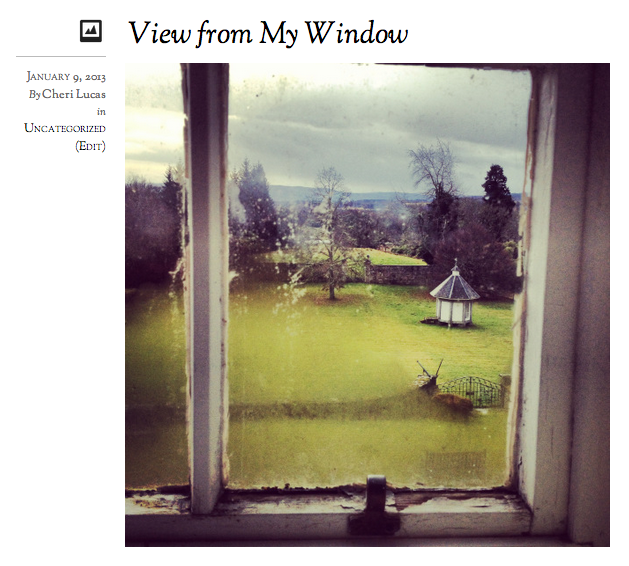
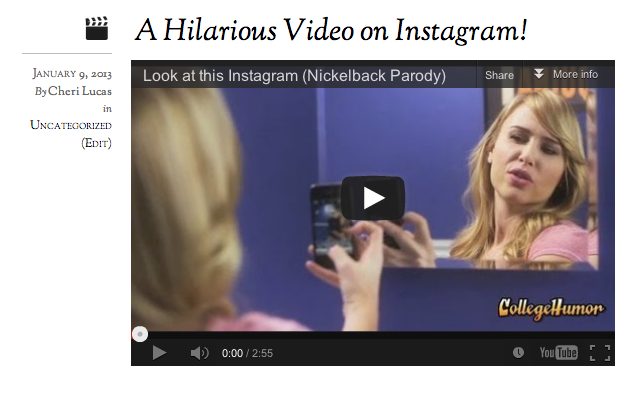
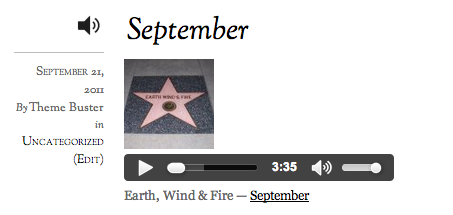
Recently, we made our top 25 themes — from popular free themes like Pilcrow, Manifest, and Bueno to premium themes such as Elemin — look even better with Post Formats. Here’s a sampling of how Post Formats look different, using the Elemin theme as an example:
Image Format:
Video Format:
Quote Format:

Link Format:

Audio Format:
Aside Format:

Graphic icons spice up this particular theme, while other themes have different design or textual elements appropriate for their layouts. Browse the themes that support Post Formats in our Theme Showcase.
Start Posting Now
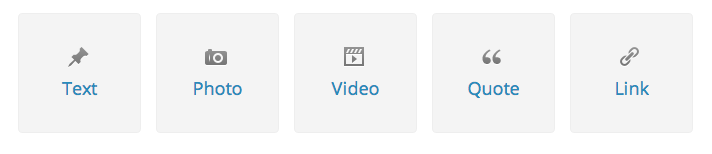
You can publish instantly using popular Post Formats right in your dashboard. Just click on “New Post” on the top right, then select one of these popular formats to publish instantly to one of your sites:
Alternatively, you can go to Posts » Add New in your dashboard to create a new post. Just select the appropriate Post Format in the Format module, and you can use the “Preview” button to view the post before publishing it.
 WordPress.com News
I attempted to use this format business. To be honest I do not think it is a great help. As a person who likes loose formats I think the “easier” things are laid out for us the less we use creative freedom and individual expression. I may be alone on this but then I never cared for per-formatted options.
LikeLiked by 2 people
Thanks for sharing your perspective — I see where you’re coming from. I think the Post Formats option isn’t appropriate for everyone.
LikeLiked by 1 person
I used the quote format and it helps improve the lay-out by emphasizing the sentences I chose to “quote”. Will keep on exploring.
LikeLiked by 3 people
It’s an option. That’s what creativity entails the ability to use, discard, and change things into something else. I wondered what those options were and now I know. Will I use them? Not all the time. Blogs are like sand boxes. Kids see and shovel, a truck, and all sorts of things to start messing around. How these will work will be up to individuals.
LikeLiked by 2 people
Blogs are like sand boxes. Kids see and shovel, a truck, and all sorts of things to start messing around. How these will work will be up to individuals.
Love this! I agree — our blogs and websites are *our* own corners. We use the features we like and that are appropriate for our work.
LikeLiked by 2 people
On occasion I have used video, but I don’t really like to use video from youtube in my posts because of the related videos that come up at the end that can be undesirable for your site. If you could post the code from youtube you are able to block this feature, but since we can only post a link and have WordPress turn it into video we cannot block this default.
LikeLiked by 2 people
Amazing feature, yet, I believe some other not-so-popular themes could use post formats too. I loved it when I had one of the few themes previously supporting it. Now, I have a new theme I love, but it’s not very popular, so no post formats for me or the people using it…
LikeLiked by 1 person
Thanks for writing in and leaving your feedback — what theme are you using?
LikeLike
I am fairly new to WordPress so am always interested to hear of anything that I can use to enhance the look of my site in the coming months/years.
LikeLiked by 1 person
You’d be surprised how many features a non-techie ignores. Thanks for writing such a clear and succinct post! I may actually attempt one of them now.
LikeLiked by 1 person
Glad to hear that this post is helpful and clear to you!
LikeLike
I’ve noticed though that if I don’t choose video, embedding from YouTube and AudioBoo doesn’t always work.
LikeLiked by 1 person
Thanks for the post and bringing this feature to our attention. It looks great to be able to have many different options for different types of posts. My theme doesn’t have this feature. I changed to Triton Lite recently. I chose the theme because it was clean and simple. It is certainly something that I will look for if I decide to make another change.
LikeLiked by 1 person
Thanks for sharing this — I had not been adventurous enough to try a different format.
LikeLiked by 1 person
I had seen this option in my theme, but not knowing what it would do exactly, I just earmarked it for later exploration. Now I’m kind of excited to try it out!
LikeLiked by 1 person
Using post formats to enhance the display of my posts is one of my favorite features on my “Shutter Clutter” photoblog (using “Hum”), but I don’t feel that the addition of the text “Image,” “Aside” “Quote” and the like above the post title enriches the viewer’s experience and is actually quite a distraction.
LikeLiked by 2 people
… blogging-for-kiddies is how I describe the way in which this “enhancement” is now rendered on my posts — and I’ve described the issue I have with it (with a possible solution/improvement) in the forums, here:
https://wordpress.com/forums/topic/manifest-theme-how-to-disable-format-type-in-heading?replies=11
LikeLiked by 1 person
Why not put all formats in the most popular theme, twenty ten?
LikeLiked by 2 people
I have spent time using these features but overall, I prefer the simple blog post without any of these formatting. The biggest issue is that these formats are theme specific and once you start using them, you are locked in and would run into problems if you change themes. For example, feature image format has turned out to be a big hassle.
LikeLiked by 1 person
Although I already wrote about it in the forums three days ago, let me again say a big thank you to the theme team for fulfiiling my wish for Pilcrow post format support. Don’t forget to add the new themes to https://wordpress.com/support/themes/post-formats/
Wouldn’t it be cool if Automattic would embed an icons font like e.g. WebSymbolsRegular in Minimalizine in a way that all bloggers could use them in their blogs?
LikeLiked by 2 people
Thanks for these kinds of posts. It’s a huge help when you can see things like this “in action”. Keep up the good work.
LikeLiked by 1 person
Thank you Cheri for all the amazing things or features that are there but have not used them since. It takes you reminding us every time before we get to enjoy them.
LikeLiked by 1 person
Post was beautiful Cheri!
LikeLiked by 1 person
WordPress just grows and grows in such a user friendly way. Your informative Daily Posts are helpful in small bites so I can absorb and use them, without being overwhelmed by too much information at one hit. 3 years ago help in forums and support was good, (in the early days I did use forums alot when I had problems and they aways came up with an answer to my problem) but if I didn’ know what was new, or how to use it, I now know I was missing out on lots of the action.
Thank you WP team for creating such a great community. I’m addicted to you.
LikeLiked by 1 person
Reblogged this on Simon Hamer and commented:
Options on blogging. Worth a read if you like to vary the opinion of your posts.
LikeLiked by 1 person
Can I use Google Blog post with Wordprss?
Sent from my iPad
LikeLiked by 1 person
No, those are two different platforms. If you are just getting started with WordPress.com, I recommend this resource: http://learn.wordpress.com
LikeLike
Thanks… This has been very helpful.. I will give it a shot within the next few days…
LikeLiked by 1 person
I absolutely LOVE the post formats! It makes whatever I want to emphaize (in my case, images, video, and in the future, quotes) stand out. Thanks for highlighting this feature, Cheri!
LikeLiked by 1 person
It would really be great if ALL post formats were applicable to all blogs. That way, we could pick a theme that we want that has a special format for a particular type of content that we usually post on our blogs. Often, we settle for a theme we don’t want because we consider the post format style we are after.
Thanks anyway for your work in bringing these features to us.
Cheers! 😀
LikeLiked by 1 person
I have always wondered what those formats were about and how they changed the way the blog looked! Now I know!! THANK YOU!!
BTW – I LOVE the new set up for WP.com home page! Please pass this along to whomever would like to know. It is great, straightforward, easy to navigate, etc!
LikeLiked by 1 person
Thank you for this post! I was wondering what those things were at the side! Mystery solved!
LikeLiked by 1 person
Thanks so much for pointing this out – I’d love to use some of those formats, alas, I recently changed to the Bold Life theme that doesn’t seem to support them. Too bad… 😦
LikeLiked by 1 person
I’m just a baby when it comes to blogging since I just published my first blog post a couple days ago. This was very helpful, short, and sweet. There’s so much stuff going on in the dashboard and found this very useful — giving examples of how the formats look. Thanks a lot.
LikeLiked by 1 person
Congrats on publishing your first post just days ago! Glad to hear this was helpful to you.
LikeLike
I’m not exactly sure what the inherent benefit is to use ie. the video post format, vs. the video shortcode in a blog post. Some of these things can be achieved can be achieved with existing features of WordPress. Why would one use a photo format post vs. loading up a photo from the media library on a blog post?
LikeLiked by 1 person
Thanks so much for your comments, Jean. I don’t think the feature is appropriate for everyone, and it certainly differs by theme; ultimately, it’s nice to have different options to do the same (or similar) things.
LikeLiked by 1 person
These options look great! Unfortunately, not all themes support them. I am using Sight and it just supports the Aside post format, not much added value here…
LikeLiked by 1 person
I wish the format options came with a brief description on rollover as to how they render differently… Thanks, this was an interesting post.
LikeLiked by 1 person
Descriptions when you hover over them in the Format module box, when you’re writing/editing your post?
LikeLiked by 1 person
yup, I’d find it useful, especially early early in the morning before first cup of coffee kicks in 😉
LikeLiked by 1 person
I love Formatting. Thanks for this post.
LikeLiked by 1 person
As a new blogger, I found this post very helpful. I appreciate the opportunity to learn something new and to be shown how to implement it. Thanks for sharing 🙂
LikeLiked by 1 person
Reblogged this on isabelitacrave and commented:
a helpful guide for beginners, Thanks.
LikeLiked by 1 person
thanks for the post Cheri
LikeLiked by 1 person
Reblogged this on youstudyenglish and commented:
A great help for new bloggers.
LikeLiked by 1 person